How to Build a Pinterest Content Calendar That Doesn't Fall Apart After Week Two
Most Pinterest content calendars die the same way: someone gets motivated, plans out a week of pins, posts them all, and then runs out of ideas by the second week. What's left after that is the familiar pattern — a burst of activity followed by silence, followed by another burst a month later. The problem usually isn't motivation. It's that most people try to plan pins one at a time instead of building a system that generates ideas on its own.
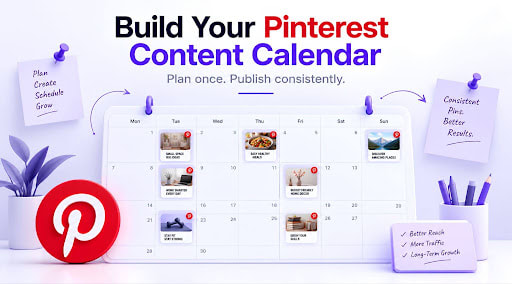
Here's a simpler way to build a calendar that actually survives past week two.
Start With Pillars, Not Pins
Before you think about a single pin, decide on three or four content pillars — broad themes everything you post will fall under. A home organization account might use pillars like "small space storage," "before and after transformations," "budget-friendly décor," and "seasonal decorating." A B2B software account might use "workflow tips," "product features," "industry stats," and "customer stories."
Pillars matter because they turn "what should I post this week" — a genuinely hard question to answer cold — into "which pillar needs content this week," which is a much easier one. You're not inventing new ideas from nothing every time; you're rotating through categories you've already decided matter.
Decide Your Cadence Before You Decide Your Content
Figure out how often you can realistically post before you plan a single pin. Three times a week is a common, sustainable starting point — enough to stay visible without requiring a constant stream of new content. Trying to commit to daily posting before you've built a rhythm is one of the most common reasons calendars collapse; the ambition outpaces the actual time available to create.
Once you know your cadence, the math becomes simple: three pins a week means roughly twelve to thirteen a month, split across your three or four pillars. That's a concrete, plannable number instead of an open-ended commitment.
Batch Your Ideas, Not Just Your Images
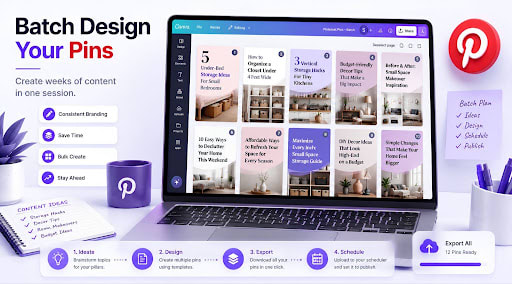
Most advice about batching focuses on creating images in bulk, which matters — but the step that actually keeps a calendar alive long-term is batching the ideas themselves. Set aside thirty minutes and, for each pillar, brainstorm ten to fifteen specific pin topics in one sitting. Not vague themes — actual pin-worthy ideas.
For "small space storage," that might turn into: "5 Under-Bed Storage Ideas for Small Bedrooms," "How to Organize a Closet Under 4 Feet Wide," "3 Vertical Storage Hacks for Tiny Kitchens." Do this once for each pillar, and you'll walk away with a running list of forty-plus ready-to-use ideas — enough to cover a full month without a single "what do I post today" moment.
Batch-Create the Visuals
With topics decided, design becomes a production task rather than a creative one, which is exactly what makes it fast. Working through a template in a tool like Canva, you can move through ten or fifteen pin designs in a single sitting far faster than designing them one at a time across scattered days — mostly because you're not switching back and forth between "what should this pin be about" and "how should it look." Separating those two decisions, rather than making them together for every single pin, is most of what makes batching feel efficient instead of exhausting.
Map It to an Actual Schedule
Once your visual batch is ready, use a professional social media management system like Sofriq Publish to schedule the entire month. With its 1-click AI post copy feature, you can completely automate the publishing process without logging in every day. With our Publish Tool, you can manage your other social accounts like Facebook, Instagram, and Pinterest. This means your visuals can also be published with a proper strategy on your other connected channels.
This is really the payoff of everything before it. Pillars and batched ideas solve the "what to post" problem. Batched design solves the "no time to create" problem. Scheduling solves the "remembering to actually post it" problem — arguably the one that kills more calendars than the other two combined.
Review Monthly, Don't Micromanage Weekly
Once a month, take twenty minutes to look at what's performed well. Which pillar got the most saves and clicks? Which pin topics are still driving traffic weeks after they were posted? Let that inform the next month's batch of ideas — lean slightly more into what's working, without abandoning pillars that simply take longer to build momentum.
Checking in weekly tends to create anxiety and second-guessing before there's even enough data to mean anything. Pinterest's slower, search-driven nature means a monthly rhythm fits the platform far better than obsessive daily tracking.
Don't Be Afraid to Repurpose
One thing that quietly makes a monthly calendar easier to sustain: a single piece of content — a blog post, a product page, a tutorial — doesn't need just one pin. Different titles, different images, and different angles pointing at the same destination are a normal, effective part of a Pinterest strategy, not a shortcut you should feel guilty about. "5 Small Bedroom Storage Ideas" and "How I Organized My Tiny Bedroom on a Budget" can both link to the same blog post while testing which framing actually resonates.
This matters especially in months two and three, when the pressure to have something entirely new to say for every single pin starts to feel heavier. Revisiting a strong piece of content with a fresh angle is often a better use of your time than forcing a genuinely new topic out of nowhere.
A Simple Month, Mapped Out
To make this concrete: four pillars, three pins a week, twelve pins for the month. Week one might lean into "seasonal decorating" with two pins and "budget-friendly décor" with one. Week two flips the balance. By the end of the month, every pillar has been represented multiple times, nothing was invented under pressure the morning it needed to go out, and the whole month was planned and scheduled in a single afternoon rather than four separate scrambles.
Getting Started
The version of this that actually works isn't complicated — it just front-loads the thinking instead of doing it in a panic every few days. Pick your pillars, batch your ideas, batch your designs, then let scheduling handle the follow-through. Our scheduling guides go deeper into the execution side if you're ready to put a calendar like this into motion.
Join the Conversation
Share your perspective, ask thoughtful questions, or leave constructive feedback about this article.